SMS Opt-In Record
How someone consents to receive text messages from OkReply
OkReply texts two kinds of people. The holder of an OkReply account, at a mobile number that person entered themselves and confirmed by a code sent to it, either in their account settings or as the number they sign in with. And a business that texts our number first, which we reply to in that conversation only. This page reproduces the account holder’s flow, because the settings screen sits behind a sign-in and cannot be reached without an account.
The full terms of the program are Section 10 of our Terms of Service, and our Privacy Policy covers how the number is handled.
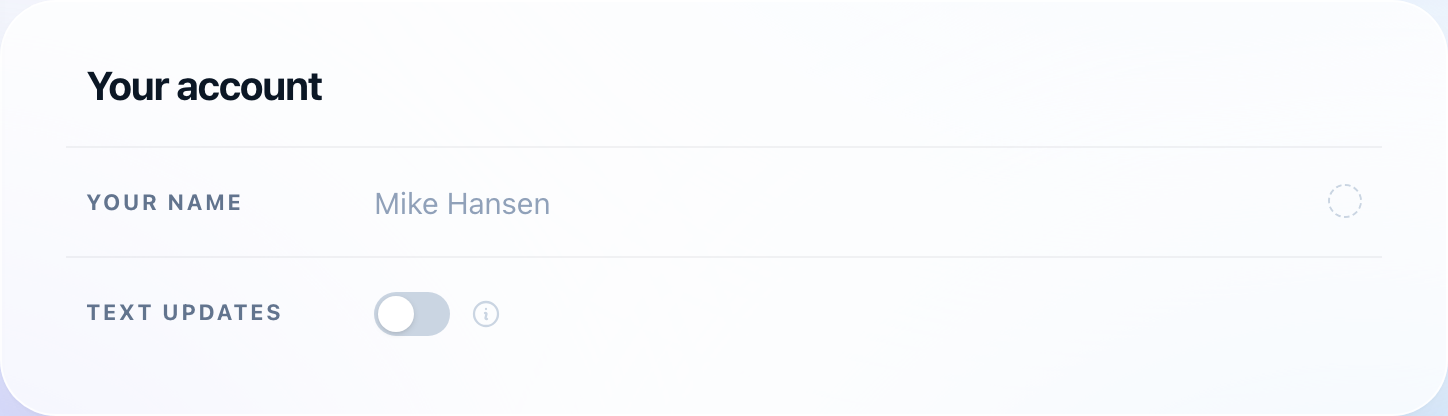
Step 1 — the toggle, off
A signed-in account holder opens Settings. Text updates is off, no number is on file, and nothing is pre-filled. Nothing about the account requires a phone number, and no messages can be sent while this toggle is off — a number saved on the row above it is stored and never messaged.
Step 2 — the disclosure, at the toggle
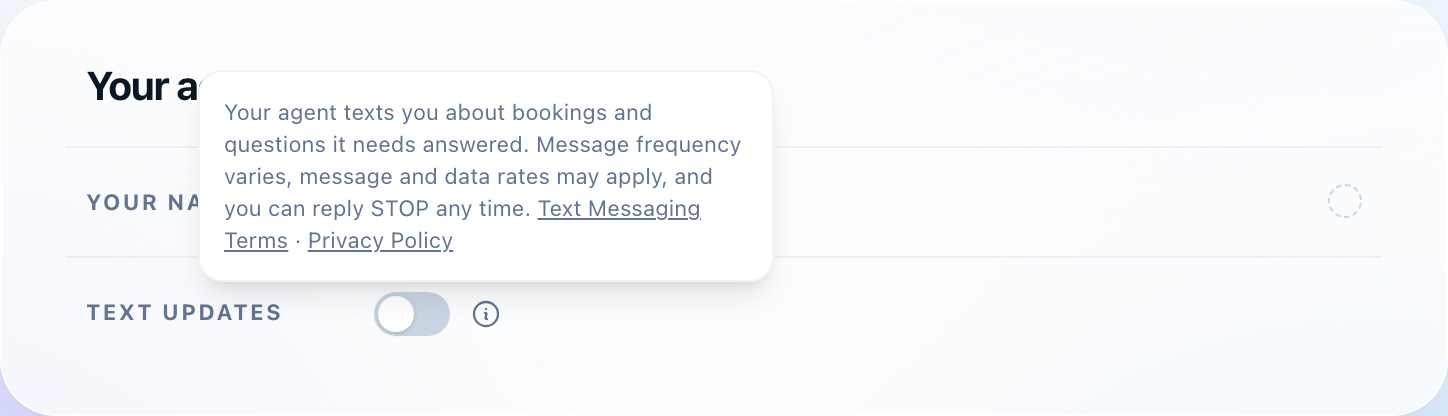
The information control beside the toggle shows the consent disclosure, before the toggle is turned on and before any number is entered. It names the program, states that message and data rates may apply, gives the STOP keyword, and links these terms, where frequency is stated in full, and the privacy policy.
Step 3 — the consent action
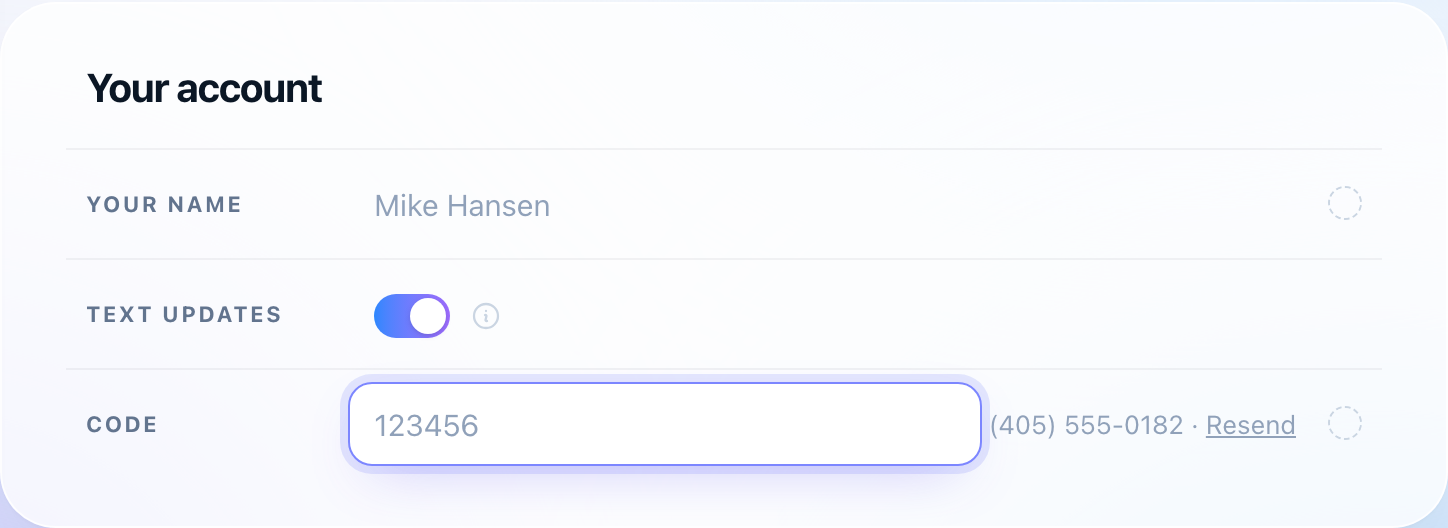
Turning the toggle on asks for a mobile number, or uses the one already on the row above it, and sends a six-digit code to that number. A dialog then asks for the code, restating the disclosure beneath the entry. Entering the code is the opt-in: it both proves the number belongs to the person entering it and records their consent. A number that is never confirmed by code is never messaged. An account holder who signs in with a mobile number meets the same step there: the sign-in code goes to that number, the disclosure is shown beneath the code entry, and entering the code is the same consent.
A business that texts us
A business can text OkReply’s number, (503) 809-4879, which it has from a call we placed to it. Its text is the opt-in. We reply in that conversation, about what it asked, and a number that has not texted us is never texted. Replying STOP ends it and HELP returns help text, as below.
The disclosure, in full
The text shown at Step 2, reproduced here verbatim:
Your agent texts you about bookings and questions it needs answered. Message and data rates may apply, reply STOP to opt out. Text Messaging Terms · Privacy Policy
What is and is not sent
Messages to an account holder are only about that person’s own account activity: an appointment being booked, moved, or cancelled, and questions the assistant needs answered before it can reply to a buyer. The account holder may reply in plain language, and the reply is carried out on their account. Messages to a business are only replies to its own texts.
No marketing, promotional, or advertising messages are sent through this program. Buyers are never sent SMS; those conversations stay on the marketplace platform where they began. Mobile numbers and messaging consent are never sold, rented, or shared with third parties or affiliates for their own marketing or promotional purposes.
Stopping messages
Replying STOP to any message ends the program and produces one confirmation message and nothing after it. Replying HELP returns help text and a support address. Turning Text updates off in Settings ends the program at once, and clearing the number row does that and deletes the number from the account as well.
Contact
OkReply — Support
Email: support@okreply.ai
Website: okreply.ai